
News
Temporarily turn off access Facebook with LeechBlock
Free, unfettered access to information is one of the great benefits of the 21st Century. However, with access comes great responsibility and the need for discipline. Social networking sites, such as Facebook, Twitter, Tumblr and Flickr, have become notorious for being sites where you can easily lose a few hours, and when you are trying to increase your productivity, the temptation of these sites can be overwhelming. Sometimes, you need to eliminate the temptation to get things done, and there are add-ons for nearly every browser that can help you temporarily turn off access to sites like Facebook.
Instructions
-
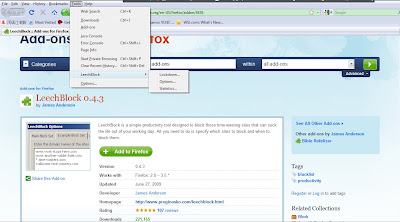
- * Download a site blocking add-in for your browser, such as Google Chrome StayFocusd, Moxilla Firefox LeechBlock or Internet Explorer Pro.
-
* Install according to the product's instructions. You may have to close and restart your browser to start the add-on.
- * Add Facebook to the list of sites the add-on should block. Some add-ons, such as Leechblock, allow you to set a range of time during which to block Facebook, while others requires you to activate the add-on when you want to block (then deactivate when you want to reinstate access to Facebook).
Versi cetak
Direkomendasikan

 Message Me On Whatsapp