
How to create email subscription newsletter in Website
How to setup Google feedburner email subscription newsletter.
If you are using Google feedburner for rss feeds, you can setup feedburner email subscription newsletter within few minutes. I have been using it for quite sometime. It does not have some advanced features but it is pretty good for wordpress beginners who are not writing that frequently. In other words it is a mini email subscription management tool which is super easy to setup and is free. Advanced bloggers may want to explore other subscription/newsletter management tools as well.
Here are the steps to setup Google feedburner email subscription newsletter.
- Assuming you already have setup Google feedburner feed account, login to My Feedsat Google Feedburner site. Click on the feed you want to setup email subscription for. Click on Publicize tab and then click on Email subscriptions link under services as shown below:
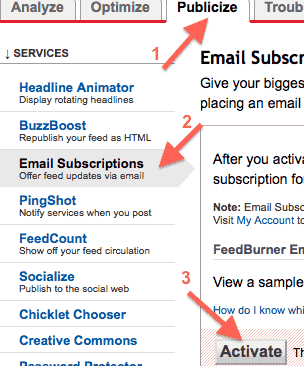
- Then click on Activate button to activate the email subscriptions for your feed.
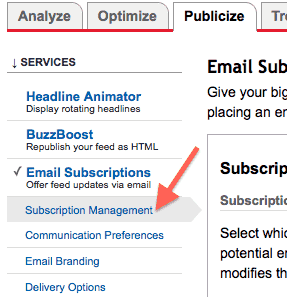
- Next click on Subscription management as shown below:
- Look for subscription link code which you can put on your website. Here is how the subscription link code looks like:
<a href="http://feedburner.google.com/fb/a/mailverify?uri=infoheap&loc=en_US">Subscribe to InfoHeap by Email</a>
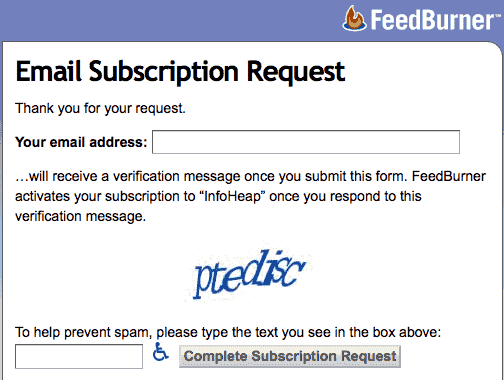
- This is how the page looks like on feedburner site when a user clicks on it:
Please note that you can also use the embeddable subscription form code instead of subscription link code. It will put the email subscription form with email address text box on your site itself.
- Next goto communication preference and enter from email and confirmation email subject and body as desired.
- Then go to email branding settings and enter Email subject/title, logo url, etc.
- Next goto to delivery options and set a schedule email delivery time.
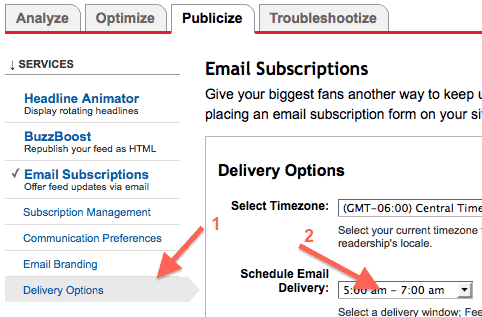 Note that feedburner sends email once a day and the frequency is not configurable. You can only pick the time. It looks at all the recent posts and if there is no new post since it sent last subscription email, then it does not send any email.
 - When someone visits feeds.feedburner.com/yourfeed then the user also sees an option to subscribe feed by email as shown below:
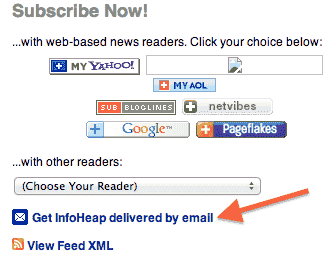 This link can be used by users who directly lands on your feed page on feedburner site.

 Message Me On Whatsapp